

Create an estimate
Pick the customer, add priced items, and email a PDF before you leave site.
Estimates, invoices, receipts and payments.
One simple app for your business.


VanlyGo Pro · £5.99/month or £49.99/year
Built by a tradesman. Made for small businesses.
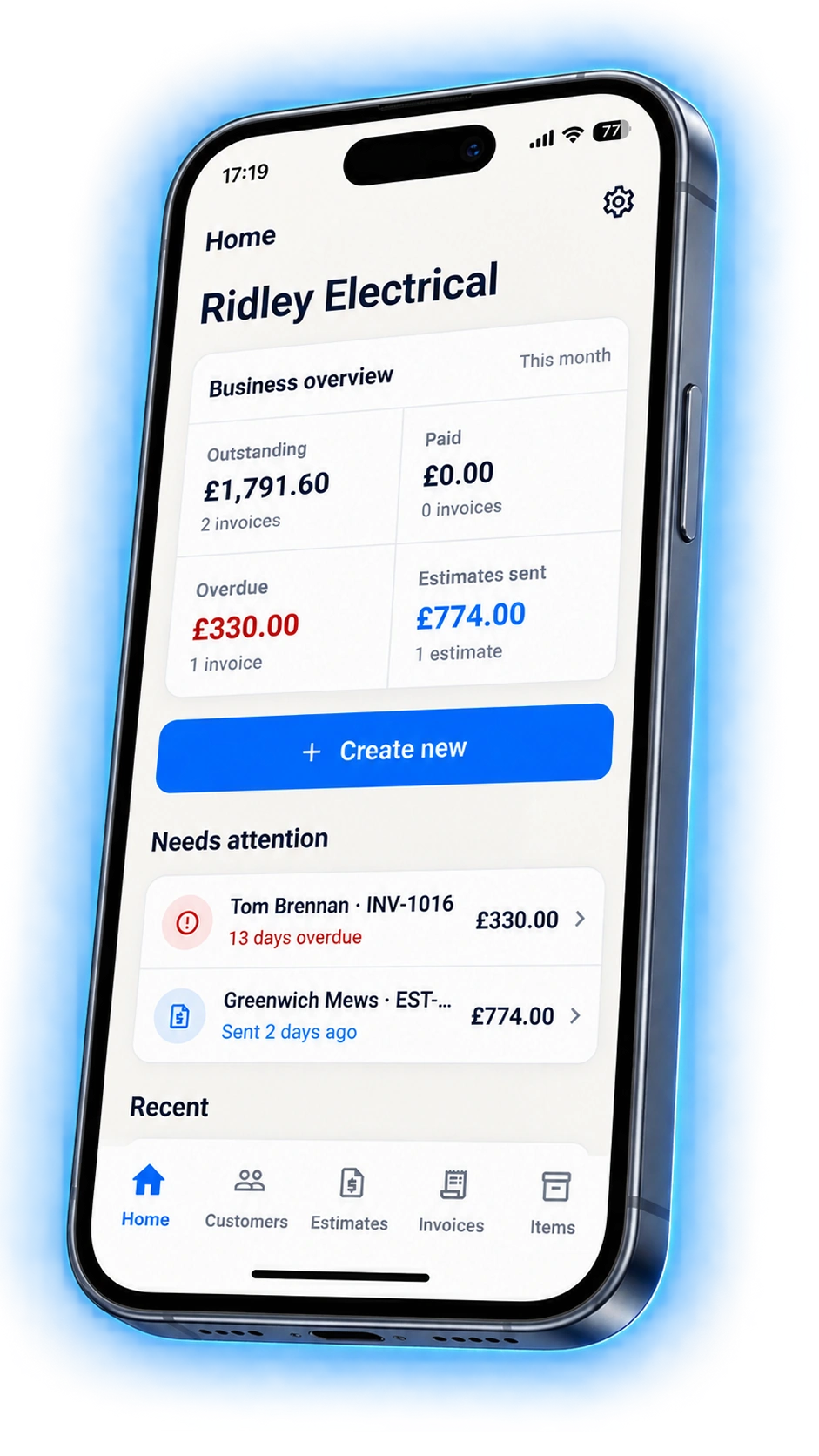
Quotes, invoices and receipts pile up between jobs. VanlyGo keeps that work on the phone already in your pocket.
Pick a customer, add the lines, check the PDF, and send. Dates, reference, notes and terms already have sensible defaults, so nothing stands between you and a sent document.
After a few jobs it is faster still: your customers, your prices and your document settings are already saved, so a repeat quote is a handful of taps.
One path from the first quote to the money in the bank.
Pick the customer, add priced items, and email a PDF before you leave site.
Convert the accepted estimate instead of retyping the job, then send it.
Share a card link or QR code, or mark the invoice paid when cash lands.
Released VanlyGo features — not a wishlist.
Send a quote, let them accept it online, then convert it to an invoice.
Professional PDFs with your logo, tax, discounts and totals.
Share a card link or QR code, or mark the invoice paid. The money is yours.
Scan a supplier receipt and keep it with the job.
Unlimited customers, ready for the next estimate or invoice.
Reuse priced labour and materials instead of retyping every line.
Send a card payment link or a QR code on an invoice, and let the customer pay from their own phone.
Card payments run through your own Stripe account, so the money reaches you rather than us. Took cash or a transfer instead? Mark the invoice paid and your outstanding total stays honest.
If an invoice goes quiet, VanlyGo Pro can chase it with a reminder so you are not writing the awkward email.

Classic PDFs on Free, with your logo and your business details. Pro adds more templates, an accent colour and your own footer — with no VanlyGo mark on the page.
Tax, discounts, units and totals are laid out the way a customer expects to read them, and payment details sit at the bottom where they look for them.

If you quote work, send invoices and need to get paid — without learning an accounts package — VanlyGo is built for that.
Write the estimate in the customer’s hallway, send it before you get back in the van, and convert it the moment they say yes.
No accounts package to learn. Save a customer and your prices once, and the paperwork stops being an evening job.
Keep customers, prices and saved jobs in one place so repeat invoices take seconds instead of a fresh spreadsheet.
UK reference prices. Other countries see the local price in the mobile app.
Free Included with every account
Enough to quote and bill a few jobs a month, with your logo on the document.
Recommended
£5.99 per month · or £49.99/year
Unlimited documents, card payments, reminders and your own branding.
VanlyGo is a product of Vanly Trade Management Ltd.
It is built around one measurement: how fast you get from opening the app to a sent document. That is why the create screen stays short and the app remembers your last customer, your prices and your defaults.
VanlyGo is not an accounts package and makes no compliance promises. It is the paperwork your customers see, done quickly.

No. They open the estimate or invoice from the email or the public link. They can accept an estimate or pay an invoice without signing up for anything.
Three invoices or estimates per month, unlimited customers and items, Classic PDFs, email delivery, your business logo, tax and discounts, and converting an estimate to an invoice. Documents carry a VanlyGo footer.
Unlimited sending, extra templates with your own accent colour and footer, invoice card payments and QR codes, payment reminders, receipt photos, a spreadsheet export, optional stock, and no VanlyGo footer.
To your own Stripe account, not to Vanly Trade Management Ltd. VanlyGo Pro is billed separately by the store where you downloaded the app.
No. It is the paperwork you send customers, plus a record of receipts. VanlyGo Pro exports a spreadsheet when your accountant needs figures.
United Kingdom, United States, Canada, Australia, New Zealand and Ireland. Currency and tax defaults follow the country you set in the app.
The website is for information, support, and customer estimate or invoice links. Work happens in the app.
VanlyGo Pro · £5.99/month or £49.99/year